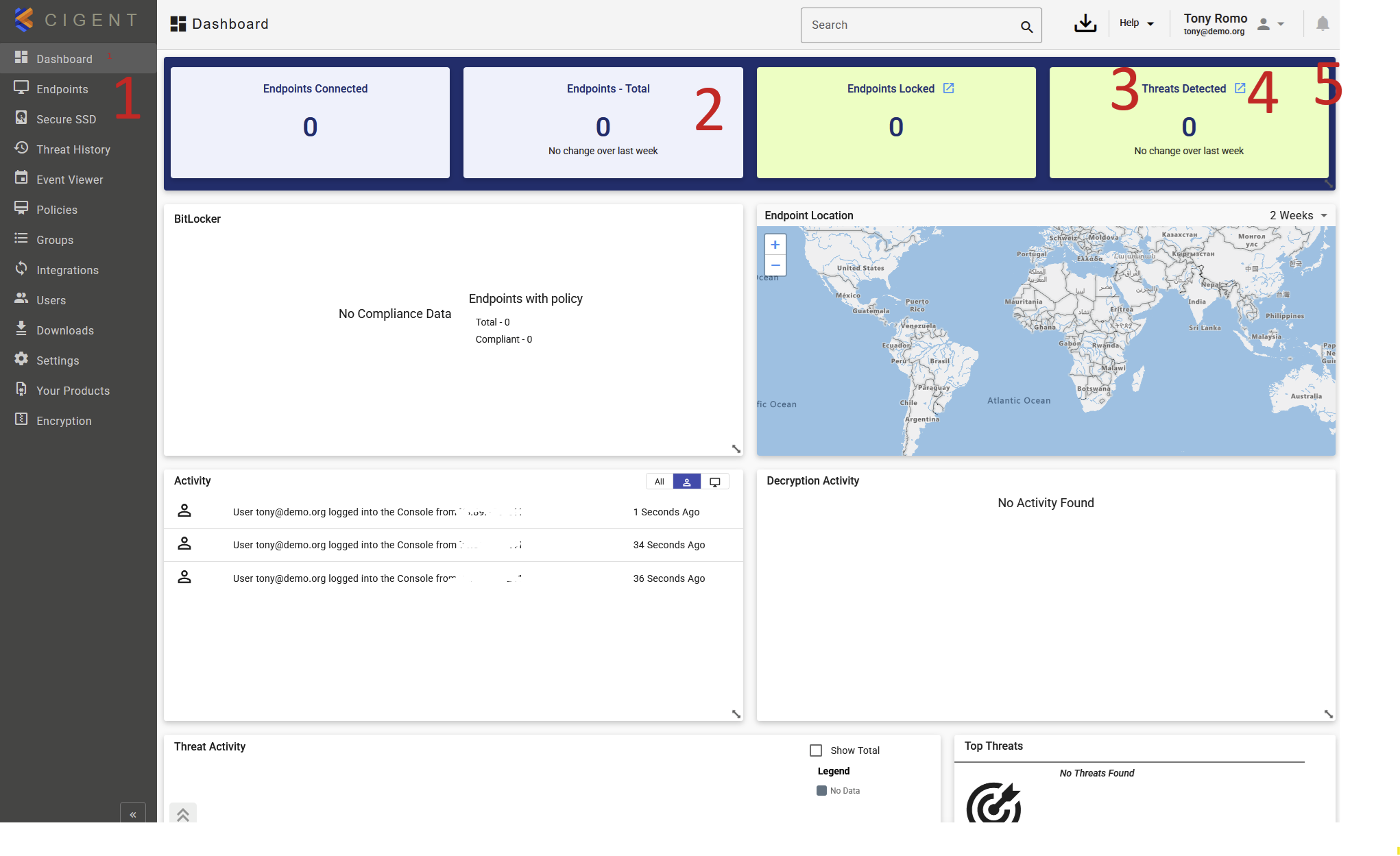
The numbered areas on the main dashboard screenshot highlight the primary navigation and control elements of the Cigent Management Console:
1. Navigation Menu
The Navigation Menu is your primary method of moving throughout the console. It provides access to all major functional areas, including policies, endpoints, reporting, and administration. The menu is always available and can be collapsed using the << button at the bottom to display icons only, maximizing screen space once you are familiar with the layout.
2. Main Workspace
This is the central working area of the console. The content displayed here changes depending on your selection from the Navigation Menu. It contains dashboards, configuration controls, activity views, and reporting data relevant to the section you are currently accessing.
3. Help Menu
The Help menu provides quick access to contextual assistance and system information. From here, you can access help documentation for the current page, general console documentation, release notes, and version information for both the Management Console and the latest Cigent software.
4. User Profile Menu
The User Profile menu allows you to manage your personal console settings. Options include changing your password, configuring notification preferences, selecting console theme settings, and reviewing or approving pending security requests based on your assigned role.
5. Notifications Panel
The Notifications area displays important system and application activity. It provides visibility into significant console events and Cigent endpoint activity that occurred since your last login or during your current session, helping you stay informed of changes, alerts, and approval requests.
Was this article helpful?
That’s Great!
Thank you for your feedback
Sorry! We couldn't be helpful
Thank you for your feedback
Feedback sent
We appreciate your effort and will try to fix the article